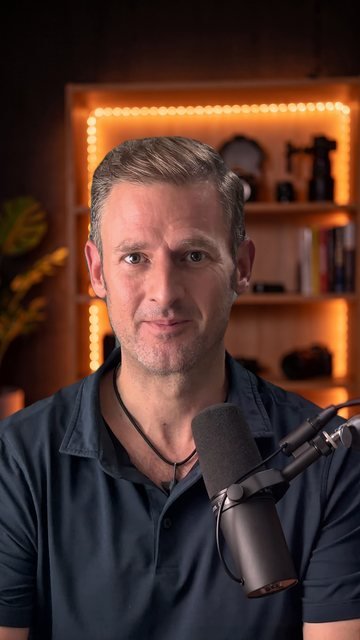
 The picture I gave the AI
The clip the AI made
Clip 1 · 7.3 seconds
“That was my digital AI twin.”
MiniMax H3 · 9.8¢ a second
The twin says: “Oh, and by the way, that was not me on camera. That was my digital AI twin.” $0.69
Chris Spark · How I made it · chrisspark.com
A production report · 53 seconds · 6 mistakes
It should have cost $3.43. I paid over $18. The extra $15 and more is six mistakes. They are all on this page, so you do not have to pay for them yourself.
Which AI tool made which part of the film? The coloured bar below follows the video, and you can click it to jump to a part. MiniMax H3 is an AI video model: it turns one picture and my recorded voice into a talking clip.
Filmed by me · my real face, next to the AI twin
Filmed by meNano Banana ProMy own voiceMiniMax H3
Could an AI become me: my face, my voice, talking on a screen? This is how I tried, what every step cost, and the six times it went wrong.
I added a picture of me. There is a folder called “original”, which has the pictures of me.
me, to Claude · my first message about it
It started with a folder of my photos. I told Claude where to find it. Claude is the AI assistant I work with: it writes the instructions and runs the AI tools, and I decide what is good enough. Claude’s plan was to build a “digital twin” of me, an AI copy of my face, with the website Higgsfield. Higgsfield has many AI models, which are computer programs that make pictures, videos or voices.
A little later the face spoke for the first time. I watched it and told Claude: pretty good, but the eyes give it away. That is not me. That one sentence is what this whole page is about. Making a face talk is the easy part. Making it look and sound like me is the hard part, and that is where the money went.
Claude does the work. It writes the instructions and runs the tools: Higgsfield makes the AI pictures and the talking clips, CapCut (a video app) removes the green cloth behind me, and free software called ffmpeg joins everything into one video. But nothing counts until I have approved it with my own eyes and ears. I look at every picture, watch every clip and listen to every sound, and I say one of two things: yes, or do it again.
This page counts the AI tools only: not my camera, my light, my subscription or my time. Every price is in dollars: what one use of a tool costs on my Higgsfield plan.
Before the first clip there is one question: what do you hand the AI? There are three ways. Only one of them gives you back you.
You give: only a sentence that you type, for example “a man talks in a studio”.
The AI makes: a whole video from that sentence. It invents the man, the room and the voice.
For my twin: useless. The man would be a stranger, and a different stranger in every clip.
You give: a picture of a person, and a sound file with a voice.
The AI makes: a video in which the person in the picture says the words in the sound file. The face stays the face in the picture. The voice stays the voice in the file.
For my twin: the picture was me in my studio, and the voice was my own, recorded on my phone. I used this way for every talking clip.
You give: a video of something that moves, and a picture of something else. For example: a video of a person walking, and a picture of a cat.
The AI makes: a new video in which the cat walks the way the person walks. The movement comes from the video. The look comes from the picture.
For my twin: not needed. I did not want to borrow somebody’s movement. I wanted my own face and my own voice.
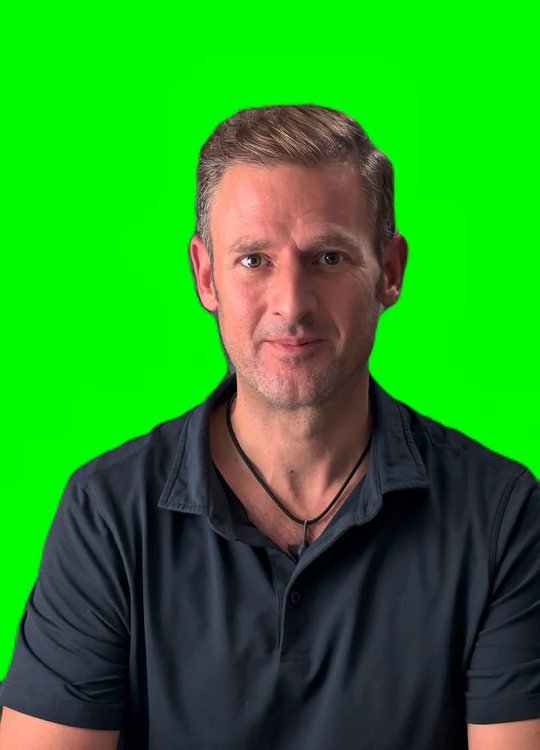
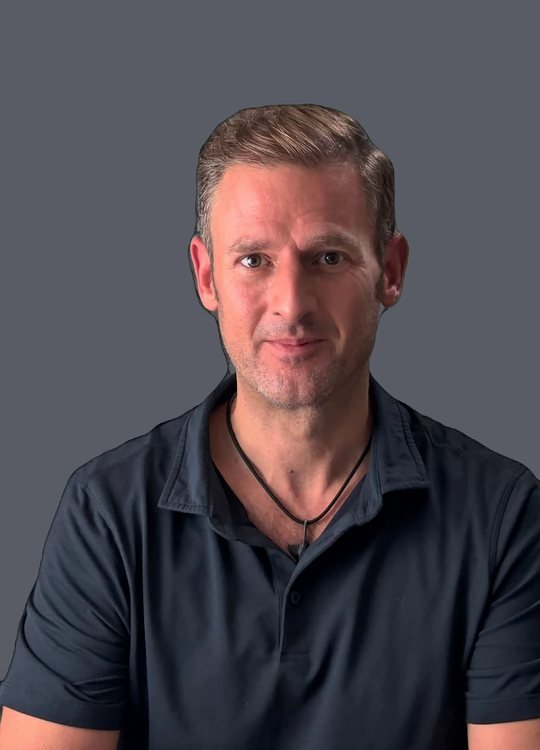
A talking twin needs a face, and the safest face is the one you know best: yours. So I stood in front of a green cloth and filmed myself talking. The green is there for one reason: a computer can remove it, and then I can be placed in any room. I gave CapCut that video, and it gave me back the same video, with the green gone.
$0for my real face. My own camera and my time are not counted.
1 of 6 What went wrong
The first twin was not me. Claude had built it from a picture that an AI had drawn of me, not from a photo. So the face was an AI’s idea of me: close, but not me. I asked Claude: why is it not me? The eyes were the giveaway. The fix: stop using a drawn face. Take one frame of my own video, put it in the studio, and let the AI move only the mouth. Drag the line to compare the two.
why is it not me?
me, to Claude, about the first twin
about $5.00 for the first twin clips. A rough price: the bill explains why.
What I do nowClaude starts every talking twin from a frame of my own video, never from a face an AI made up.
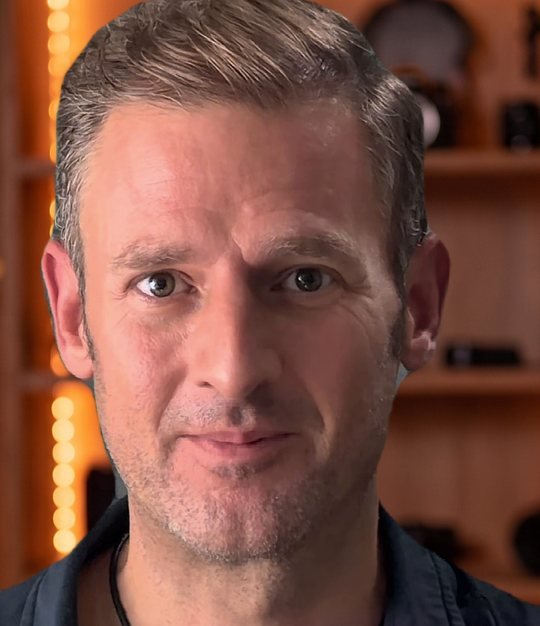
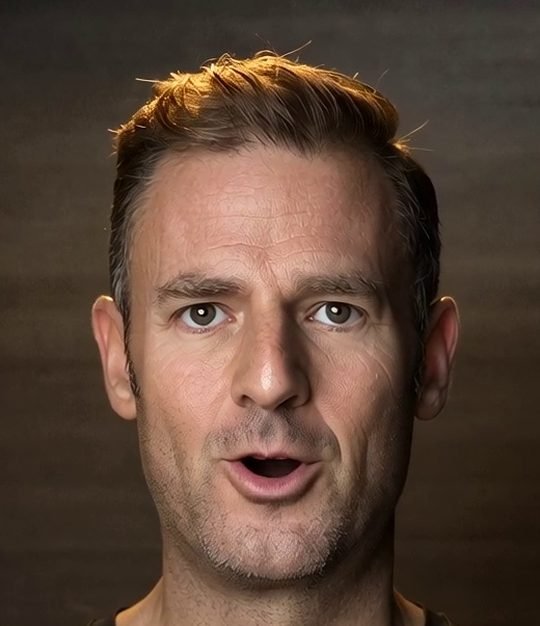
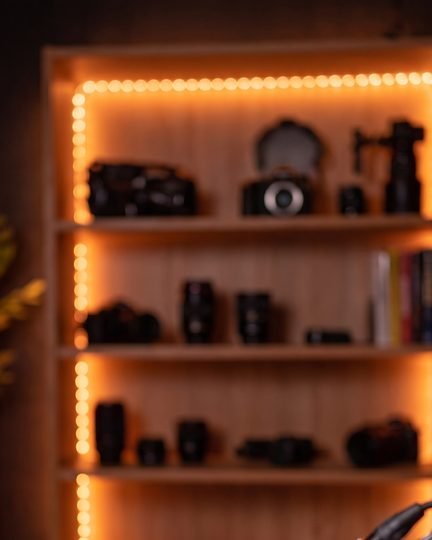
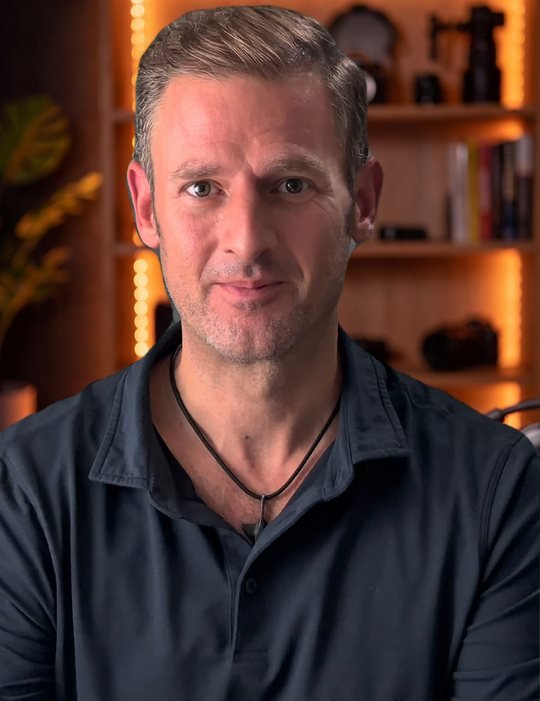
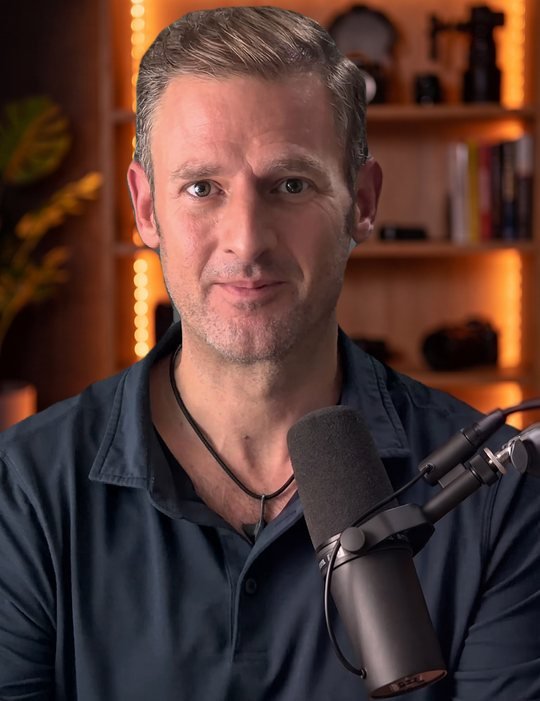
I did not want to talk in front of a bare wall. So I asked Nano Banana Pro, an AI picture program, for a studio, in words: warm orange light, shelves, a blurred background. It made eight pictures and I picked the one I liked. Then Claude put one frame of my own recording, the one from step 1, in front of that studio. That took free software and cost nothing. One thing was still missing: a microphone in front of me. So I asked Nano Banana Pro for one more edit: the same picture, plus a microphone. These are the three pictures, in order.
2 of 6 What went wrong
I asked for one small thing: add a microphone to the new picture of me. Claude gave Nano Banana Pro two pictures: the new one, and the old twin. Nano Banana Pro used the wrong face and returned the old twin, with a microphone. The second try, with only the new picture, worked.
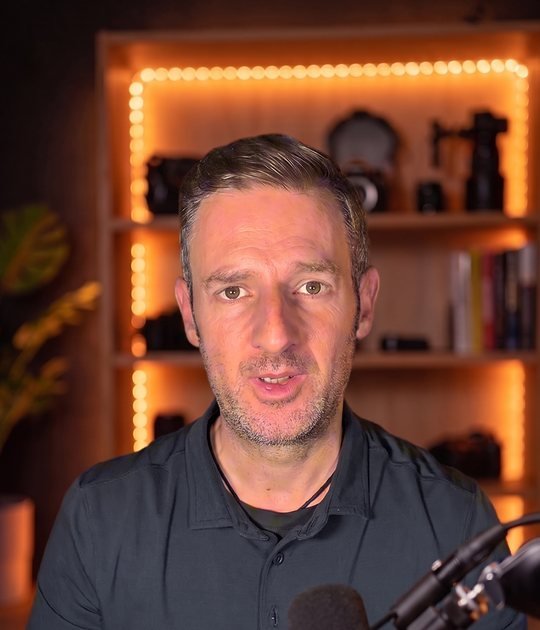
$0.10 one wasted edit · Nano Banana Pro
What I do nowClaude gives the model one picture only for an “add an object” edit.
A twin also needs a voice. My first idea was an AI copy of my voice. In the end I used my real voice, recorded on my phone. That costs nothing, and nobody can say “that sounds like an AI voice”.
3 of 6 What went wrong
Claude made an AI copy of my voice in Higgsfield, twice. To my ears, the first copy sounded about 90 percent like me, but sometimes it missed my accent. The second copy, made with a better microphone, was better. And still I stopped. I thought: it is faster to just speak the lines myself, and people might hear the copy and say “that is an AI voice”. So I recorded my own voice, and the two copies were never used.
about $2.79 for the two voice copies, the tests with them and the first talking test. A rough price: the bill explains why.
What I do nowClaude uses my own recorded voice.
Hear it. The same line, 5 seconds each.
Both say the same first sentence, at the same volume. The first one is the AI copy; the second one is me.
Last comes the moment everything was for: the talking. A video model is an AI that makes moving clips. I gave MiniMax H3 two things: one start picture (me in the studio, with the microphone) and a piece of my recorded voice (for each clip, the seconds where I say that line). It gave me back a clip in which the picture comes alive and the mouth follows my words. I made four clips, 5 to 8 seconds each. Each card shows the picture I gave, the clip I got back, and what it cost. A video tool charges for every second of video it makes: here 9.8 cents a second. The four clips run about 27 seconds. Higgsfield charged for 26 seconds in all.
The picture I gave the AIClip 1 · 7.3 seconds
MiniMax H3 · 9.8¢ a second
The twin says: “Oh, and by the way, that was not me on camera. That was my digital AI twin.” $0.69
The picture I gave the AIClip 2 · 8 seconds
MiniMax H3 · 9.8¢ a second
“I once watched a couple in a restaurant, she told him to try the hot sauce. He used way too much.” $0.78
The picture I gave the AIClip 3 · 5.2 seconds
MiniMax H3 · 9.8¢ a second
“I asked AI to rebuild that scene, shot by shot, as a practice.” $0.49
The picture I gave the AIClip 4 · 6.6 seconds
MiniMax H3 · 9.8¢ a second
“The first version is never the last, so adjust and go again.” $0.59
Why MiniMax H3, and not Wan 2.7? Wan 2.7 is another AI video model that can do the same job, and I tried it first. This is what I saw in my own tests:
In my four clips the mouth stayed in step with my voice. I compared each pause in my recording with the same pause in the clip: they differ by at most 0.02 seconds, which is too small to see. It makes clips in one size only, 2K (a big, sharp picture).
Cheaper. In my first talking test the mouth followed the speech, but the clip came out wide, like a TV screen, and I needed tall, like a phone. Later, in a close-up, the eyes did not look like mine, and I stopped using it.
4 of 6 What went wrong
At some point I decided: MiniMax H3 is the better model, Wan 2.7 is out. But in the tool, Wan 2.7 was still the selected model. So when Claude started the next clips, they ran on Wan 2.7. They cost $1.62 and I did not use them.
$1.62 Wan 2.7 clips · charged for every second of video
What I do nowBefore I say GO, my word that lets Claude spend money, Claude shows me a card with the model name, the price and every file the model will use. I check the model name first.
5 of 6 What went wrong
Claude made two test clips with the new model and gave them an old sound file: an earlier recording of my voice, from before my final recording. The old recording had other words and another length, so the clips did not fit my film. I could not use either clip. (They are not the four clips in the film.)
$2.16 two clips · MiniMax H3
What I do nowClaude names the exact sound file in the card before I say GO, and checks that it is my final recording.
6 of 6 What went wrong
Two problems here. First: I had recorded my voice on two different days, and the two recordings sounded different. So I recorded every line again, all in one session. Everything made from the old picture (the old twin) and the old recording had to be made again: some tests and some clips. Second: one of those clips was 14 seconds long. In a clip that long, the AI added a pause of 1.8 seconds that is not in my recording, and the mouth stopped matching the words.
“If the clip is longer than eight seconds, it can drift away. And if you stick to the eight second rule, it should work also for you.”me, in the video. In a clip, “to drift away” means that the mouth slowly stops matching the words.
$3.63 tests with the earlier twin picture ($0.98) and clips made with the earlier recording ($2.65)
What I do nowI record everything in one session first. Claude keeps each talking clip to 8 seconds or less.
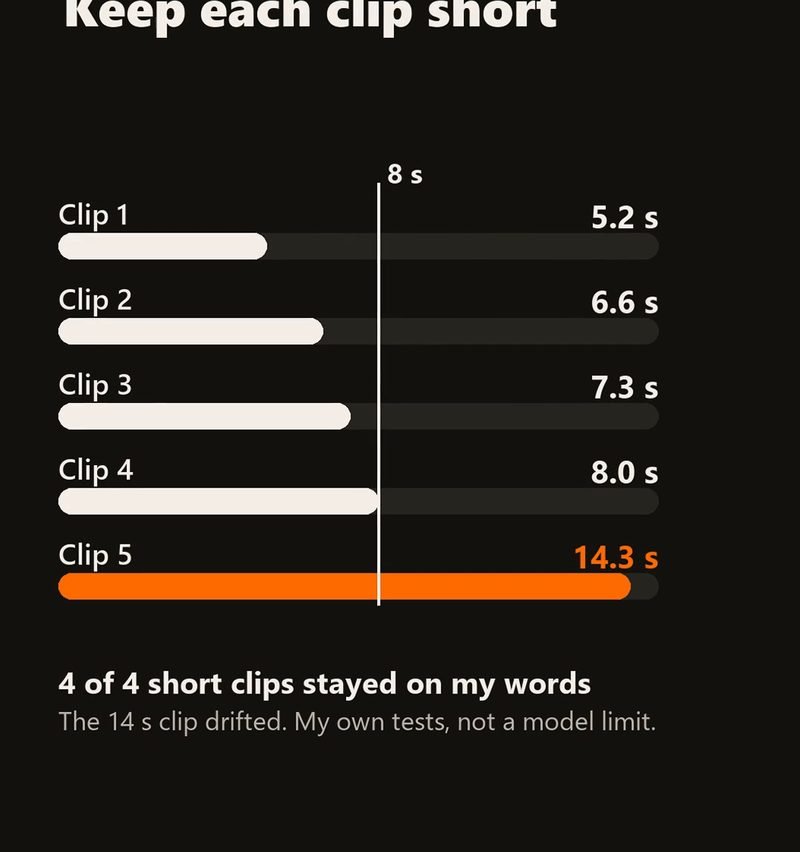
The four clips of 8 seconds or less kept every pause within 0.02 seconds, in my tests. That is my own measurement, not a limit of the model.
Part 2 · What it cost
OVER $18
It should have cost $3.43.
Cents are rounded. Two prices (the first twin clips and the voice copies) are only “about”, so the total is a range. The bill explains why.
for every second of the talking twin: the whole bill divided by the 26 seconds of talking clips the tool charged for (the film is 53 seconds because it also has my real face and the price cards). What it really cost, at least.
for every second of the talking twin, if nothing had gone wrong: $3.43 divided by the same 26 seconds.
Needed: the plan’s list, one try each. Learning: everything that is not on that list.
Where do these numbers come from? Higgsfield has its own list of every charge. I compared $10.93 of the $18.72 with that list, and it matches. The other $7.79 (the first twin clips and the voice copies) comes from a list of costs that was kept while the project was running, in the first days. I have not compared those two prices with Higgsfield’s list, so they say “about”. If the cost list is right, the twin cost $18.72 or more, which is why the page says “Over $18”. If the “maybe even more” line is extra, the total is up to $23.62. Lines are rounded to the cent, so a column can differ from its total by one cent.
Learn from my mistakes.
I want a talking AI version of myself for short videos. I will give you a video of me filmed in front of a green cloth and a recording of my own voice. Use one frame of my own video as the picture, put me in an AI-made studio, and make talking clips of 8 seconds or less. Before you spend anything, show me a card with the model name, the price and every file you will use, and wait until I write the word GO.
Paste that into your first message to an AI assistant such as Claude. It is written for you: “me” and “my” mean you.
What is your budget for an AI twin? Comment it under the video. Follow for more how-tos: Chris Spark on YouTube, Instagram, TikTok and Facebook.
The prices come from Higgsfield’s list of charges, my chat logs and the clip files. Two prices (the first twin clips and the voice copies) are only “about”, so the total is a range. In the video I am real, and so is my voice. The studio, the microphone and the twin are AI.
The AI models ran inside Higgsfield; Claude ran them for me. Each price is what one use costs on my Higgsfield plan: one second of video, or one picture. Cents are rounded.
Most of the money went in the first five days: the first twin clips and the voice copies, and three mistakes on day 5. Day 1 is the first day the face talked. The table shows what each day cost, with the same lines as the bill.
| When | What | It cost |
|---|---|---|
| Two weeks before day 1 | My first message: pictures of me for an AI face toolNot counted on this page | not counted |
| Day 1 | Two voice copies, tests, the first talking testVideo model: Wan 2.7 | about $2.79 |
| Days 3 to 4 | The first twin clips, from a drawn face; then the idea to use a frame of my own videoVideo model: Wan 2.7 | about $5.00 |
| Day 4 | Eight studio picturesPicture model: Nano Banana Pro | $0.78 |
| Day 5 | Tests with the earlier twin picture, the wrong model, the old sound file, clips made with the earlier recordingVideo models: MiniMax H3, Wan 2.7 | $0.98 tests + $1.62 wrong model + $2.16 old sound file + $2.65 clips to redo |
| Day 6 | I recorded everything again, in one session. A microphone edit with two pictures, then one. The four talking clipsPicture model: Nano Banana Pro. Video model: MiniMax H3 | $0.10 failed microphone edit + $0.10 microphone edit that worked + $2.55 the four talking clips |
| Day 8 | I filmed myself talking, for the film at the top of this pageMy own camera | $0 |
| Day 9 | I approved the short |
$3.43 needed plus $15.29 of learning is $18.72. The two lines marked “about” have not been compared with Higgsfield’s list.